Nice images from the nice camera to follow.
Thursday, March 26, 2020
00712, the Hand Thing
The Hand Thing is a project I've been obsessing over for a long time.
Editing films and creating motion graphics and animation means working a lot with keyboard shortcuts, you know, cut, paste etc. Most of this work is done with the keyboard and very few time is the keyboard used for typing text (like normal people do).
So this is what they call a Human Interface Device (HID) - something designed to make interactions with a computer easier and/or faster. Here's the end result:
It starts with designing the size and shape of the device with plasticine and placing buttons using ball bearings, so that the buttons fall where the buttons fall where your fingers can easily reach them:
Then it's down to importing the picture into a computer, tracing around the image, making a 3D kinda version of it and cutting the design out of wood using the CNC machine. Once cut, it's on to gluing on buttons and connecting them to a microcontroller (tiny computer), which takes the button presses, converts them into a combination of keyboard commands and sends them down a USB cable to the computer which thinks you're inputting a whole load of keyboard commands:
Here's an example fo the code that runs on the microcontroller (called a Teensy LC):
int overlayStatus = 0; // indicates whether to switch to title safe/proportional grid/off
void setup () {
// initialize the pushbutton pin as an input:
pinMode(0, INPUT_PULLUP);
pinMode(1, INPUT_PULLUP);
pinMode(2, INPUT_PULLUP);
pinMode(3, INPUT_PULLUP);
pinMode(4, INPUT_PULLUP);
pinMode(5, INPUT_PULLUP);
pinMode(6, INPUT_PULLUP);
pinMode(7, INPUT_PULLUP);
pinMode(13, OUTPUT);
Keyboard.begin();
}
void loop() {
/*EASY EASE
if (digitalRead(0) == LOW) {
Keyboard.press(KEY_F9);
do {}
while (digitalRead(0) == LOW);
delay (10);
Keyboard.releaseAll();
}*/
//CENTRE ANCHOR POINT AND CENTRE IN VIEWER
if (digitalRead(0) == LOW) {
Keyboard.press(KEY_LEFT_ALT);
Keyboard.press(KEY_LEFT_GUI);
Keyboard.press(KEY_HOME);
delay (10);
Keyboard.releaseAll();
Keyboard.press(KEY_LEFT_GUI);
Keyboard.press(KEY_HOME);
do {}
while (digitalRead(0) == LOW);
delay (10);
Keyboard.releaseAll();
}
//TIME REVERSE KEYFRAMES
if (digitalRead(1) == LOW) {
Keyboard.press(KEY_LEFT_ALT);
Keyboard.press('y');
do {}
while (digitalRead(1) == LOW);
delay (10);
Keyboard.releaseAll();
}
//SELECT ALL AND SHOW KEYFRAMES/COLLAPSE
if (digitalRead(2) == LOW) {
Keyboard.press(KEY_LEFT_GUI);
Keyboard.press('a');
Keyboard.releaseAll();
delay(10);
Keyboard.press('u');
do {}
while (digitalRead(2) == LOW);
delay (10);
Keyboard.releaseAll();
}
/*SHOW OR HIDE GRAPH EDITOR
if (digitalRead(3) == LOW) {
Keyboard.press(KEY_LEFT_SHIFT);
Keyboard.press('E');
do {}
while (digitalRead(3) == LOW);
delay (10);
Keyboard.releaseAll();
}*/
//PLAY/stop
if (digitalRead(3) == LOW) {
Keyboard.press(32);
do {}
while (digitalRead(3) == LOW);
delay (10);
Keyboard.releaseAll();
}
//ADVANCE 1 FRAME
if (digitalRead(4) == LOW) {
Keyboard.press(KEY_PAGE_DOWN);
delay(150);
Keyboard.releaseAll();
}
//RETREAT 1 FRAME
if (digitalRead(5) == LOW) {
Keyboard.press(KEY_PAGE_UP);
delay(150);
Keyboard.releaseAll();
}
//TITLE SAFE/PROPORTIONAL GRID/NO OVERLAY
if (digitalRead(6) == LOW) {
if (overlayStatus == 0) {
Keyboard.press(KEY_LEFT_ALT);
Keyboard.press(39);
overlayStatus = 1;
do {}
while (digitalRead(6) == LOW);
delay (10);
Keyboard.releaseAll();
}
else if (overlayStatus == 1) {
Keyboard.press(39);
overlayStatus = 2;
do {}
while (digitalRead(6) == LOW);
delay (10);
Keyboard.releaseAll();
}
else if (overlayStatus == 2) {
Keyboard.press(39);
overlayStatus = 0;
do {}
while (digitalRead(6) == LOW);
delay (10);
Keyboard.releaseAll();
}
}
//RESIZE & REFRAME COMP VIEWER TO FIT
if (digitalRead(7) == LOW) {
Keyboard.print('.');
delay(10);
Keyboard.press(KEY_LEFT_SHIFT);
Keyboard.press('/');
do {}
while (digitalRead(7) == LOW);
delay (10);
Keyboard.releaseAll();
}
}
Tuesday, March 24, 2020
00711, return to the moon
This is a moon related dump (safe for work). It turned into a number of projects:
1. Just for the sake of making a moon.
2. to try to make a glowing moon shaped light (a cast plastic shell).
3. To add to the wall of boxes that I've put on the wall at work.
4. As a secret Santa (which went a bit turbo).
The process for making a light is:
Cover a polystyrene sphere with plaster of Paris.
Sculpt in craters and moon texture.
Make a silicone cast of the model.
Slip cast the mold by tipping fast curing resin into it and swilling it around and tipping out the remainder, then repeating, leaving a plastic shell, which can be lit from the inside.
More on the secret Santa in a mo
Tuesday, October 16, 2018
Saturday, October 13, 2018
Sunday, October 07, 2018
Sunday, April 24, 2016
00706, Moco turntable
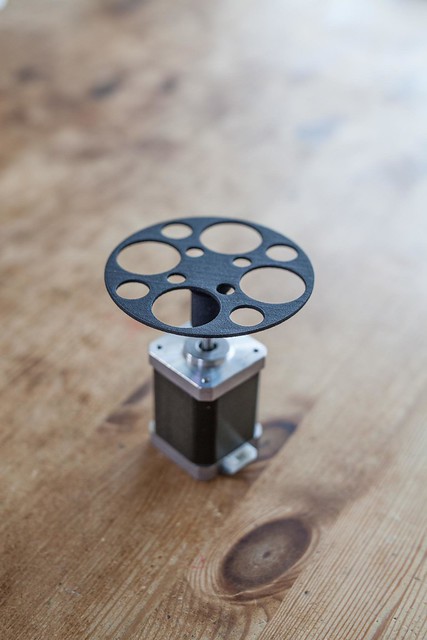
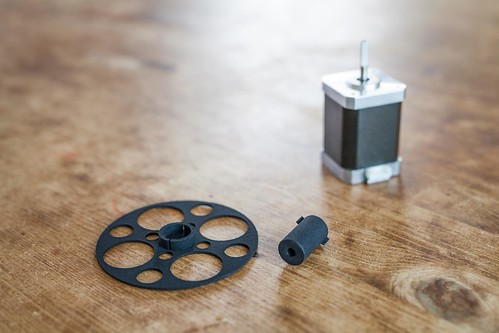
And as well as the slider, there's a new turntable adapter.
C4D design, Shapeways printed in strong and flexible plastic, it's a two-part construction, allowing the turntable to be taken off the motor for storage and transport.
Fits like a glove:
00705, Sliding around
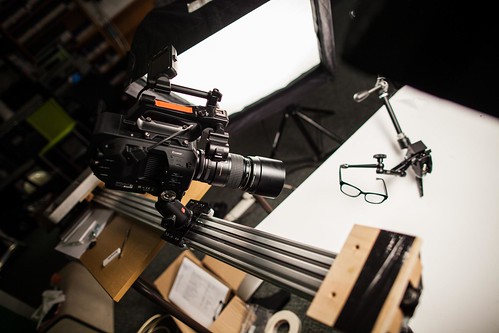
While I'm waiting for new spinners to arrive, the Moco slider's slid into the main.
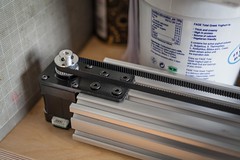
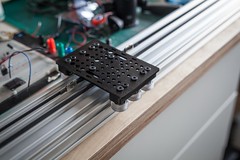
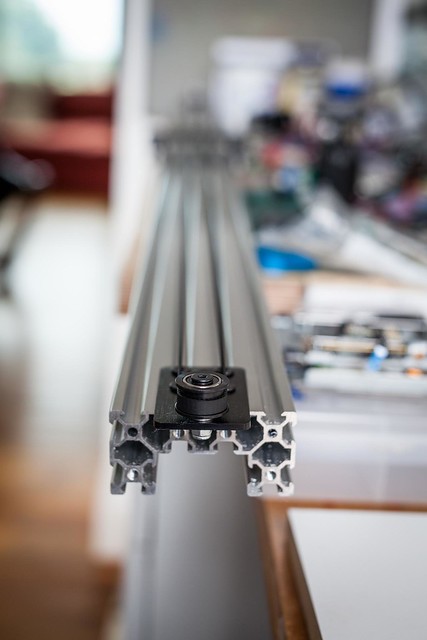
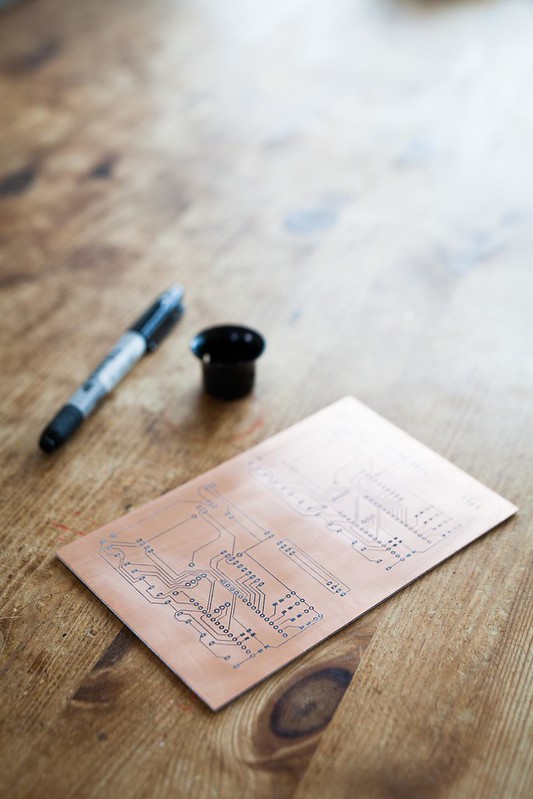
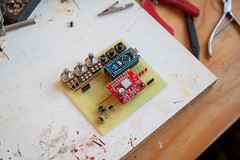
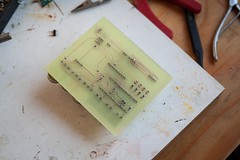
Mechanical parts from Openbuilds, driven with Arduino Nano and a Big Easydriver on home-made PCB, et voila:
All to film product shots for an upcoming ting and that.
Mechanical parts from Openbuilds, driven with Arduino Nano and a Big Easydriver on home-made PCB, et voila:
All to film product shots for an upcoming ting and that.
Friday, March 25, 2016
00704, Spinners
Recently I've been obsessing.
Within reason, obsessing can be a good thing. Sometimes it ends up improving things, helping people, moving things forward.
This is not one of those things.
But without exception, anyone who sees them and certainly anyone who touches them, is captivated - for at least five minutes.
Spinning tops, eh?
Sculpted in C4D, 3D printed by Shapeways.
Epic.
00703, OOOR
Meanwhile Outofofficereplies.com trundles on, building up a surprisingly large amount of content in the same way as you might glance down at your fingers and remark on how much dirt has accumulated under your nails.
It's become quite the resource.
00702, Dandelion Trophy
So we met with Mark and Jock of the Dandelion Project and I was playing with spinning tops and Mark said he'd like a trophy for the upcoming Ted Talks. He wanted to give Ollie Guillou an award to highlight his contributions to positive journalism - which is lovely.
I said the printing and shipping of something nice would take ages and he said, "Oh." I said that it'd be really pricey for anything largish and he said, "Oh."
So I said I'd make something.
I told Mark that the main thrust of the trophy would be light. I liked the idea that you could present someone with a "piece of light" and I really liked the idea that it would light up when they handled it. It was supposed to be indicative of the light you shed when you spend your time presenting things in, for want of better words, a positive light. I said that I'd give him some plans and keep him in touch with the process and let him know when I'd be done.
He said, "Just bring it along on the day, do whatever you like." so I did.
Basically, it lights up when you touch it.
He said, "Just bring it along on the day, do whatever you like." so I did.
Basically, it lights up when you touch it.
Turned out nice:
I'm meeting with Ollie later this week, at which point, I'll mention the fact that it's all a bit prototype.
He received it a couple of weeks back, so I'm interested to see if it still works - things like this usually tend to pleasantly surprise me with their longevity. Until they break.
00702, Fibonacci clock
So Rob (the one from work) sent me an email to say that he'd seen a Fibonacci Clock online, saying (or typing) "Reckon you could make me one of these?".
He didn't really mean it.
But I made him one anyway:
Arduino Nano and NeoPixels with capacitive touch sensor.
It's not really a clock as such, more a timer. You twiddle the knob to zero (all white) and touch the top of the box, at which point it counts up in five second increments. You set the time with the knob, touch the top of the box and it counts down to zero. You twiddle the knob while it's timing and everything stops.
Good thing he didn't ask me to make heavy ordinance. Can't help myself, can I?
Subscribe to:
Posts (Atom)